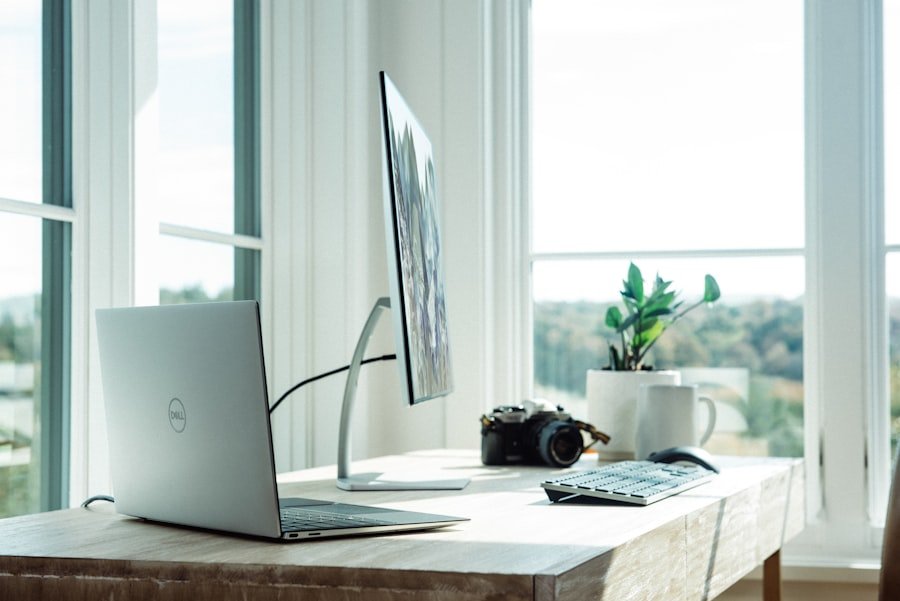
The widespread shift to home working since 2020 has produced a substantial body of research on what actually helps people work effectively from home. The conclusions are, in several cases, counter-intuitive. Expensive monitors and standing desks matter less than chair height and natural light. The location within the home matters less than the consistency of use. The most effective home offices are not necessarily the best equipped, but the most intentionally designed.
The Chair
If you are spending seven or eight hours a day at a desk, the chair is the single highest-value investment in your workspace. A proper adjustable office chair — one where the seat height, armrests, lumbar support and back angle can be independently set — makes a material difference to concentration and physical comfort over a working day.
The adjustment that most people miss is seat height: your feet should be flat on the floor, your thighs roughly parallel to it, and your elbows at desktop height. Most people sit too low. A chair that puts your arms at the right height for the keyboard reduces shoulder and neck tension considerably over time.
Screen Height
The top of your monitor should be at or slightly below eye level when you are sitting in your correct posture. Most people who use a laptop without a stand have their neck bent downward for hours at a time, which accumulates into significant discomfort. A laptop stand (available for under £30) plus a separate keyboard brings the screen to the right height. This is, for the cost, one of the best returns in home office investment.
Natural Light Position
Where possible, position your desk so that natural light comes from the side rather than behind or in front. Light from behind you creates glare on the screen. Light from in front creates a strong contrast that makes the screen harder to read. Light from the side illuminates the workspace without creating either problem.
If your only option involves facing toward or away from a window, adjustable blinds that diffuse rather than block light (cellular shades, sheer fabrics) help manage the contrast.
Acoustic Separation
Background noise from other household members, the street or construction affects concentration more than most people realise — and the effect is strongest on tasks requiring reading, writing or careful thinking. If you cannot physically separate your workspace from noise sources, over-ear headphones playing either silence or consistent low-level background noise (brown noise, rain sounds, or music without lyrics) provide effective cognitive separation at low cost.
Closed-back headphones provide better noise isolation than open-back. Over-ear provides better isolation than in-ear for extended wear. Active noise cancellation makes a large difference in environments with consistent low-frequency noise (traffic, HVAC systems).
The Dedicated Space Principle
Psychological research on working from home consistently finds that having a dedicated space — even a corner of a room used only for work, not the kitchen table or sofa — helps maintain the mental transition between work and non-work modes. This effect is partly about association: a space used exclusively for work becomes a reliable cue for concentration. The threshold into that space becomes, over time, the equivalent of the commute as a mental mode-shift.
The Priority Order for Investment
1. Chair (adjustable, with lumbar support) — highest impact on comfort and focus
2. Laptop stand + separate keyboard — fixes screen height at low cost
3. Good headphones — acoustic separation for concentration
4. Desk lamp with adjustable colour temperature — for winter months when natural light is poor
5. Monitor (external) — only genuinely necessary if your laptop screen is small